Bookings
Bookings are at the heart of the Parent Interviews system. They represent a schedule time slot chosen by a parent or caregiver as part of an event.
The information contained within a booking may vary depending on the type of event. For example, bookings for a uniform fitting event won't be assigned a staff member.
Viewing bookings
- Click on the Bookings option in the main menu.
- Choose the event you want to view.
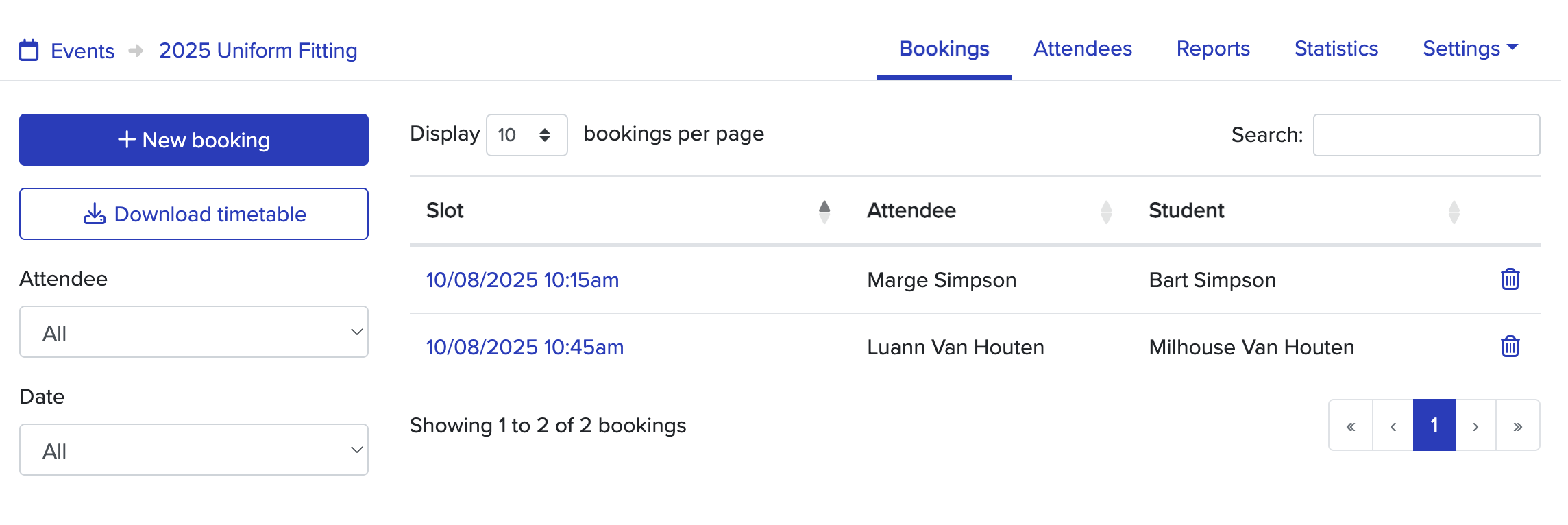
You'll be presented with the list of bookings for an event. From here, you can:
- filter the bookings based on the attendee, date, or staff member.
- download the list of bookings.
- view an individual booking.
Viewing an individual booking
When viewing the list of bookings, click on the date and time of a booking to view more information about it, including:
- the contact information for the attendee.
- the other bookings for the attendee.
- any booking comments left by the attendee.
From here, you can also make additional bookings on behalf of the attendee.
Downloading a timetable
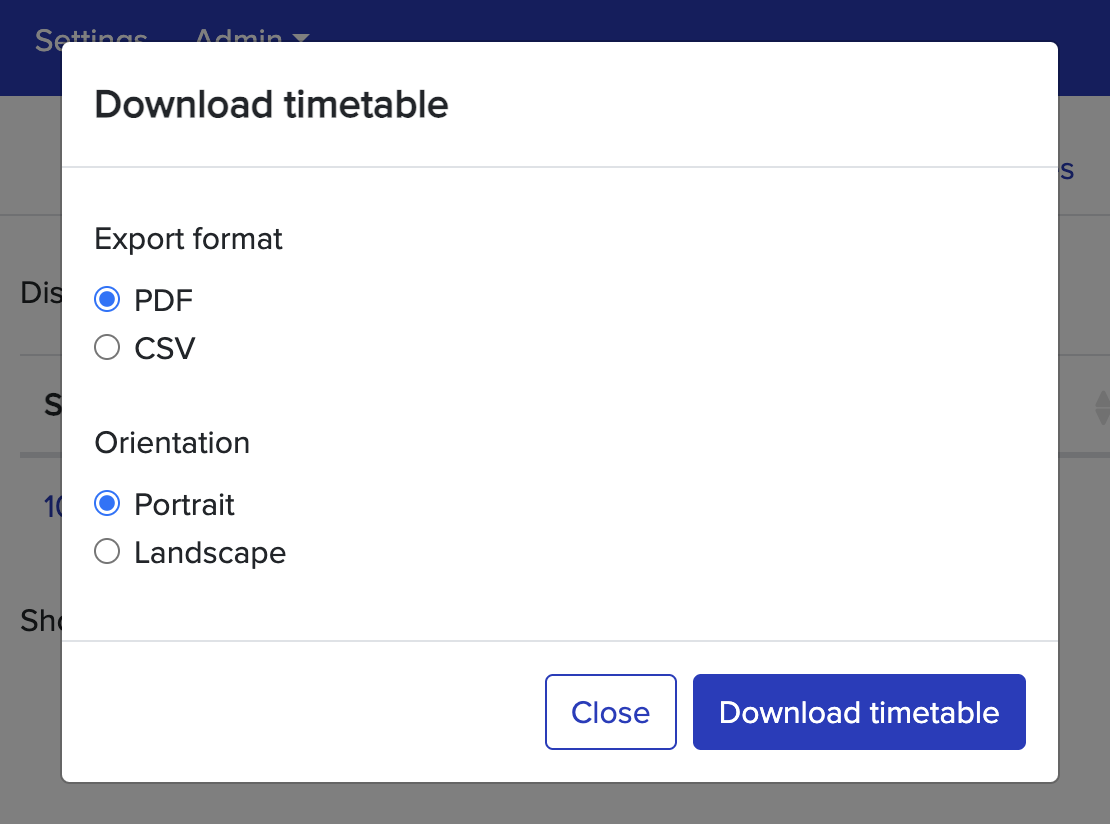
From the Bookings page, you can download the list of bookings shown as either a PDF file or a CSV file by using the Download Timetable button.
You'll be able to choose the file format and orientation of the document (PDF only)
Cancelling a booking
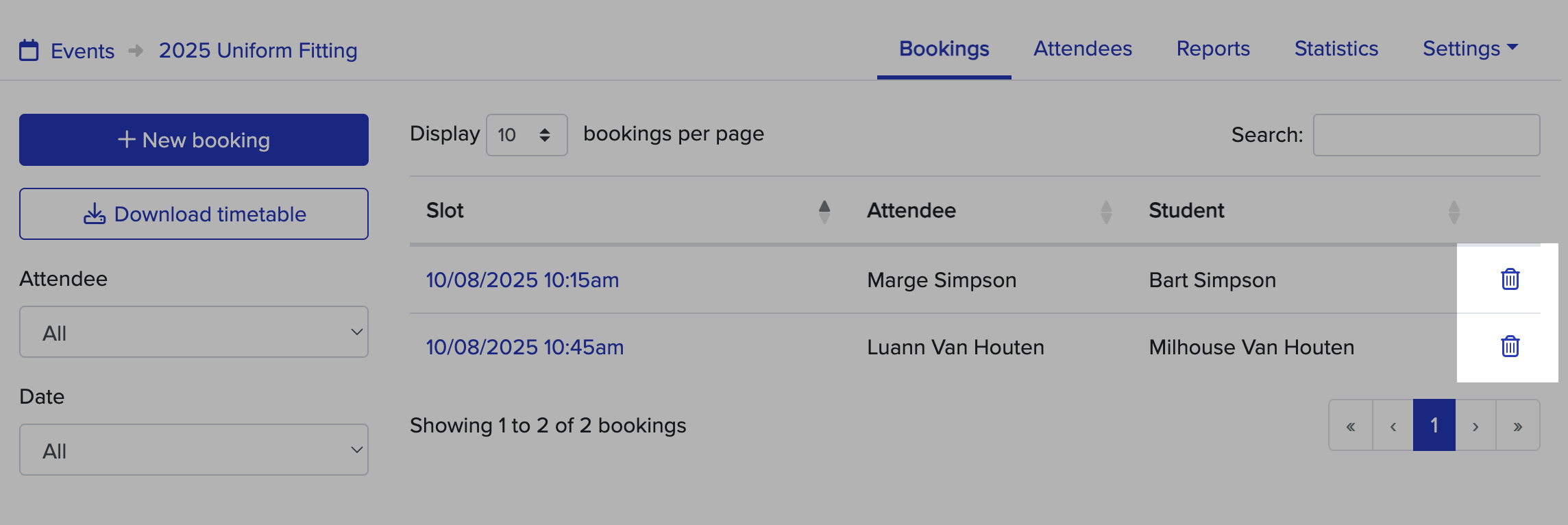
If you need to cancel a booking for an attendee, click on the trash-can icon when viewing the list of bookings.
You'll be asked to confirm the cancellation before it takes effect. Once cancelled, other attendees will be able to make a booking for that time.